
Yes, that’s right, you can use Github Pages to host your personal or organization projects directly on Github.
I’m really a fan of the Ruby language since 2011 when I’ve worked as a Ruby on Rails developer, so why not using this language to define my personal blog?
There are a lot of resources out there with step by step guides, how you can achieve this: I suggest to start with official https://pages.github.com documentation.
This is how I did it:
a) Define github code location of my blog
https://github.com/paulbrodner/paulbrodner.github.io
Simple as that, according to official docs you will be able to access your site at http://paulbrodner.github.io/
b) Define work items using Github Projects
I like to keep my work items organized, I want to track and update my work from one place so my project will be finalized on schedule, that’s why I’ve used “Projects” feature of Github where I define one Automated Kanban board named “blog”:
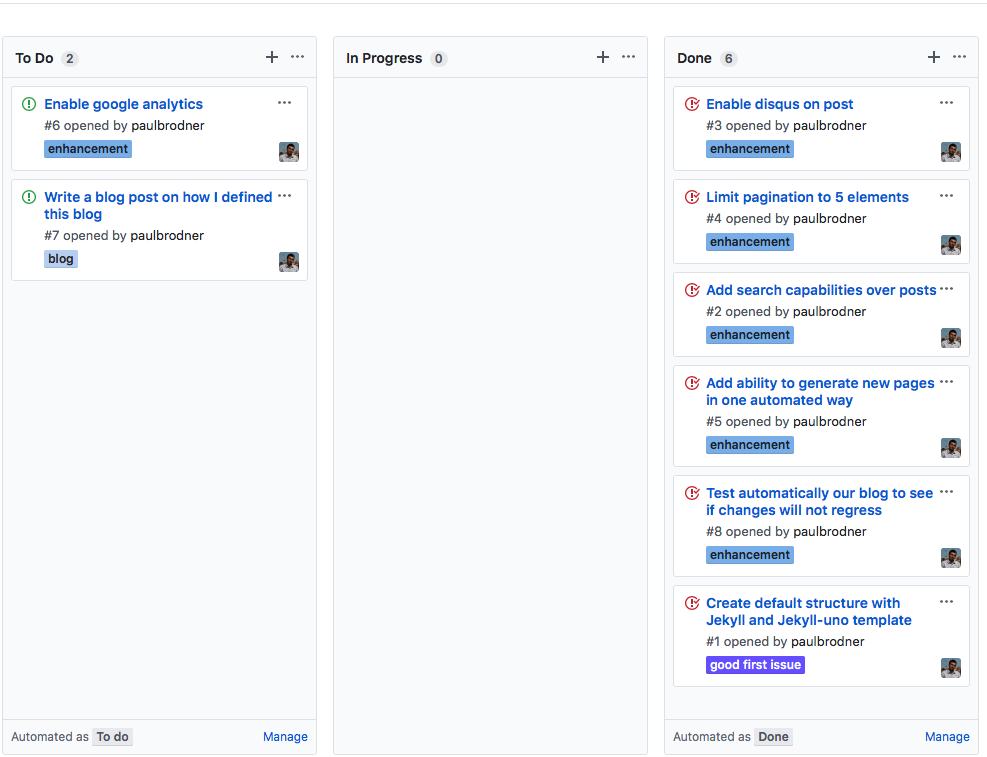
The interesting part of the automated Kanban board is that when a new issue or pull request is opened, that item is moved to To Do column.
When I start working on one item, I move it In Progress
In the Done column, you will see items that are closed.
 Try to close issues directly from commit messages, using keyworkds
All issues have assigned a label to them so I can easily filter and sort-out what I want.
c) Implementation
I focused my attention on Jekyllrb - a framework for transforming plain text into static blogs.
Jekyllrb is using Liquid an open-source language that will process our markdown templates.
I have my framework identified, but what template should I use?
You can checkout many great templates at http://jekyllthemes.org.
My desired template was a minimal responsive theme Jekyll-Uno.
- checkout my
good first issue#1 that will define this structure
d) Testing
- I have my structure now, I am an Automation Engineer, so I need a way - one automated way to test my changes if I want to create a blog post for example. Issue #8 will do that for me:
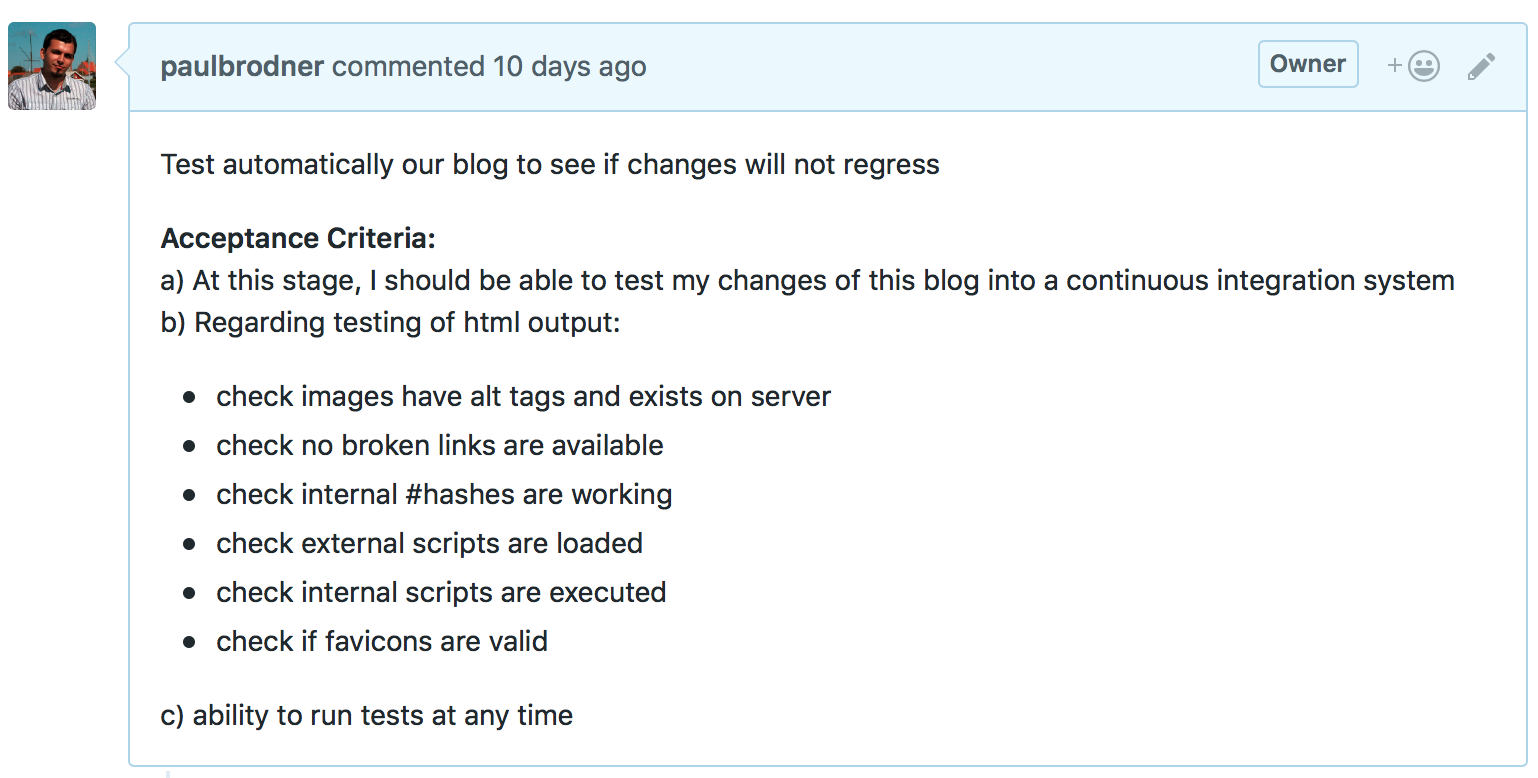 Behind the scenes, I’ve used
 html-proofer gem. More details on this blog post
d) Enhancements
The planning board will filter all enhancement that I’ve done on top of Jekyll-Uno.
- ability to generate new blog pages automatically (source #11)
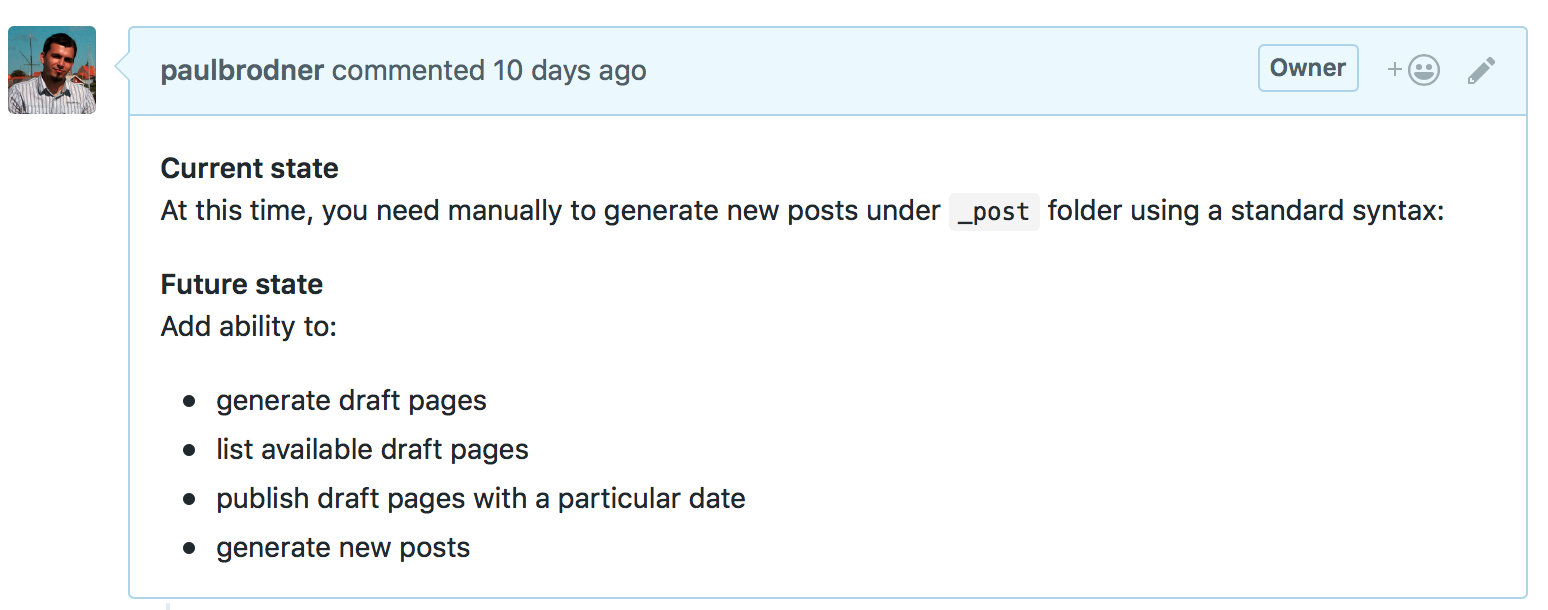 To sum-up I have a Rakefile that will call the the existing Jekyll generators in one interactive way, asking you what is the new post title, date, if is a draft or not, etc.
 - search capabilities by JSON data (source #12)
 I’m defining a new “search.html” page that will contain the search code and one search.json that will automatically generate in JSON format the entire condent of this blog. Thanks to Simple-Jekyll-Search
Search is available on the top right corner - needs some improvements in terms of responsiveness, but I’m happy with it for now.