
A few weeks ago I wrote about writing AI agent specs — the idea that the spec is the product and code is just a side effect of a well-structured checklist. This is what that idea actually built.
My daughter loves making up bedtime stories. She’ll come up with three scenes, name the characters, describe what they look like, and then want to see the pictures. The problem was that every tool that could do this required an account, a subscription, or — worst of all — her stories and her characters going off to train someone else’s model. That felt wrong for something this personal.
So I built StoryTime: she helps write the story, local AI generates the cover images, and nothing leaves the machine.
What It Does
You open the composer, describe two or three scenes — “Luna the dragon finds a hidden library”, “she meets a tiny knight who can’t read”, “they stay up all night reading every book together” — and add any characters you want to anchor the visuals. You pick an art style: watercolor, crayon, cartoon, pixel art. You press Generate.
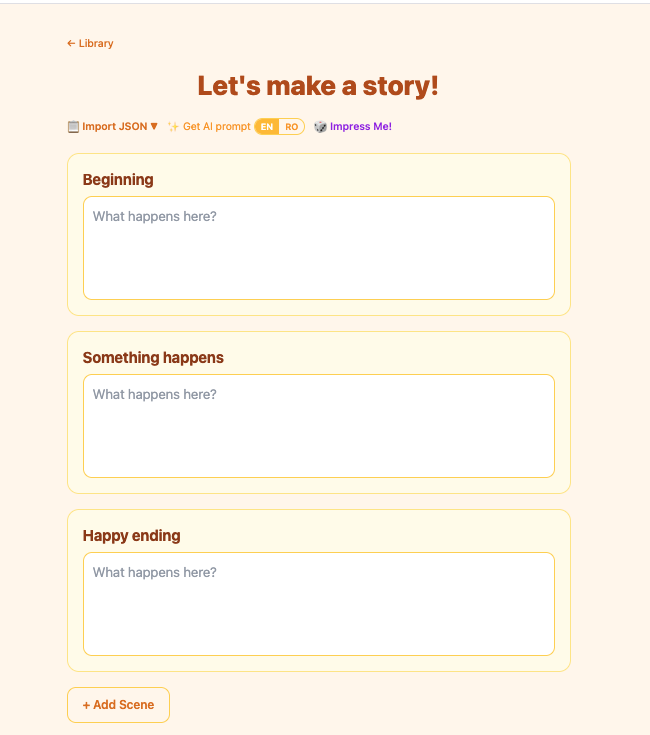
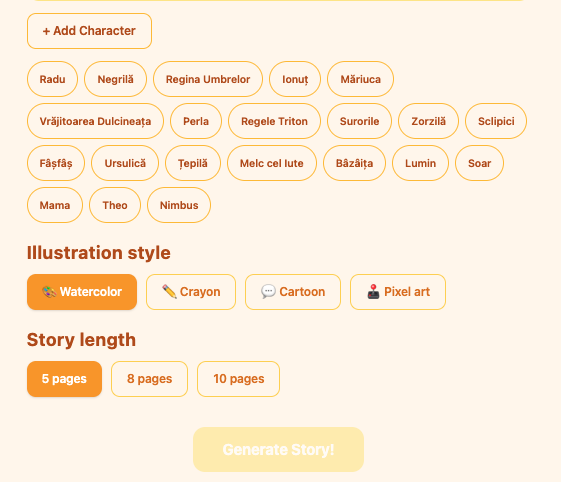
The backend expands your scenes into five illustrated pages using a local LLM (qwen2.5:7b). For each page it writes narrative text and an image prompt. Then it hands every prompt to a local image model (x/flux2-klein via Ollama) and saves the PNGs to the filesystem. A WebSocket streams progress back to the browser in real time — you watch each page come in. When the last one lands, it navigates you straight into the viewer.
The viewer is a page-flip storybook. Touch-swipeable. You can redraw any image you don’t like, edit the page text inline, and export the whole thing as a PDF.
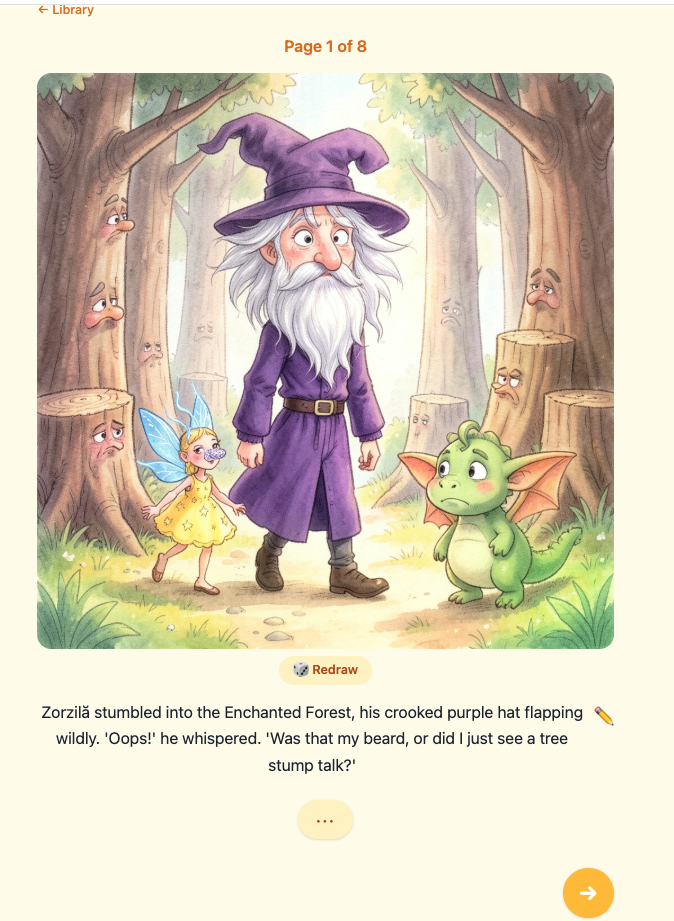
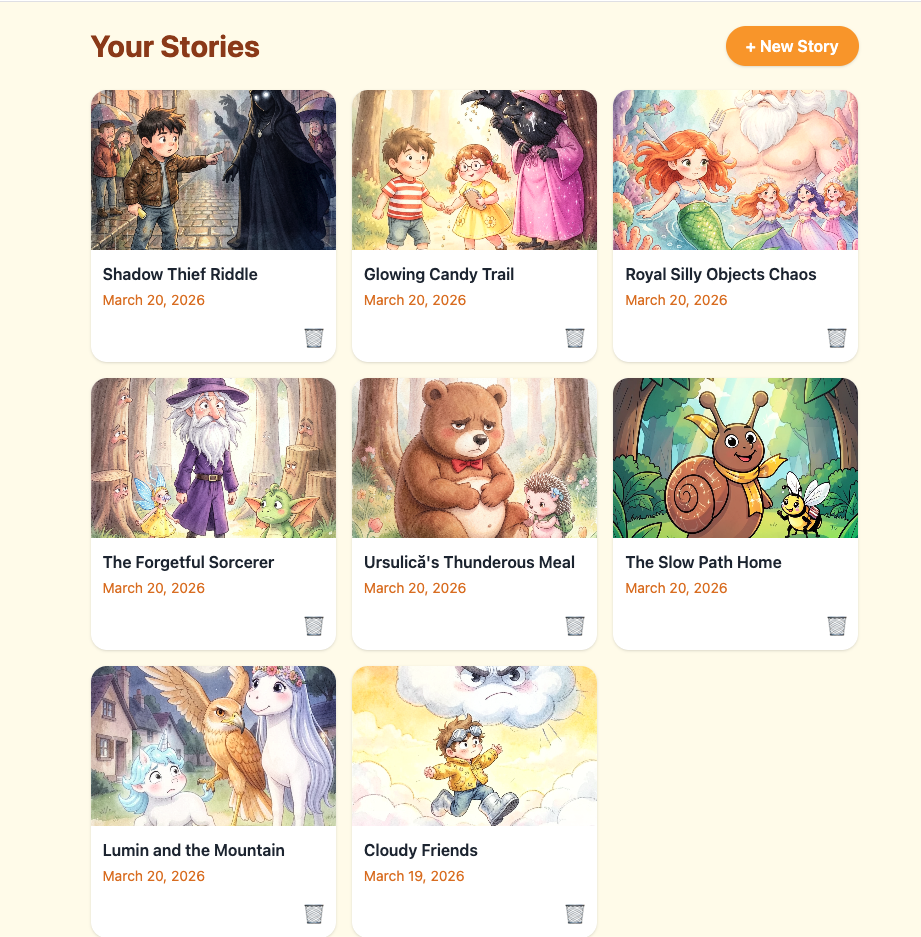
Nothing leaves localhost. No authentication, no database, no cloud. Story files are JSON plus PNGs on disk.
The Decisions That Actually Mattered
The tech stack choices were mostly obvious: React for the UI, FastAPI for the backend, Pydantic as the data layer, httpx for async Ollama calls. What I spent real time on was three decisions that aren’t obvious.
WebSocket over polling for generation progress. Image generation takes 2–10 seconds per page depending on hardware. That’s five rounds of waiting, and a child’s attention span is not your SLA. Polling would have added latency on top of latency. WebSocket gave me sub-second event delivery — text_done, image_done, complete, error — and a natural navigation trigger when the last page finished. SSE would have worked too, but WebSocket let me use the same event protocol for error propagation, which kept the design clean.
Local filesystem storage instead of a database. Story data is a UUID folder: story.json plus pages/page-01.png through page-05.png. Reading and writing with pathlib is fast, predictable, and obvious to debug — open the folder, look at the files. No migrations when the schema changes; the app reads what’s there and defaults missing fields. For a single-user localhost app, the only thing a database buys you is complexity.
Sequential image generation for the MVP. The first version generates pages one by one rather than in parallel. This was a deliberate choice, not a missing feature. Concurrent generation would need request queuing (Ollama handles one image request at a time), error isolation per page, and a more complex progress model. Sequential is slower on paper but simpler to reason about, simpler to test, and good enough for a five-page book. I recorded it as ADR-007 so future-me has a clear upgrade path, not a mystery.
The Workflow That Made It Shippable
The SDLC skills post was abstract. This one was the test. I ran /sdlc-design on the idea and got an SDD, a stories.md backlog with 16 user stories, and three ADRs. Then I worked through the backlog story by story — /sdlc-build for implementation, /sdlc-ship for self-review and merge.
What surprised me was how much the structured backlog changed the experience. Usually a side project dies when I hit the first tricky integration — Ollama not running, PDF generation blocking the async loop, WebSocket drops when the tab is backgrounded. With the stories, each of those was already a named problem in the backlog. I didn’t spiral. I filed it, scoped it, and built it.
The PDF renderer was the most awkward piece. WeasyPrint’s write_pdf() is synchronous, which means it blocks the event loop if you call it directly from FastAPI. The fix is one line — await loop.run_in_executor(None, ...) — but it’s the kind of thing you only know to look for if you’ve been burned by it before. The agent caught it during the self-review step. I would have caught it in testing. The skill caught it before I even ran the tests.
Sixteen stories. Shipped in a week of evenings.
Why Local-First
I keep coming back to this. The interesting thing about StoryTime isn’t the image generation or the PDF export — those are commodities now. The interesting thing is the constraint: no data leaves the machine.
That constraint shapes everything. It means no account system. It means no latency from a cloud round-trip. It means the generated images aren’t training data for someone else’s next model. It means a five-year-old’s story about a dragon who loves libraries stays between you and your laptop.
Cloud-based creative tools are powerful, but they’re built on a trade: your content for their infrastructure. For a tool whose whole purpose is to make something personal and private — a story about your characters, your child’s imagination — that trade is worth examining. Ollama makes the alternative real enough to choose.
Three things I’d take away from building this:
Local AI has crossed a practical threshold. qwen2.5:7b writes coherent, age-appropriate story prose. x/flux2-klein generates images that read as picture-book illustrations, not stock photos. A year ago this was a curiosity. Now it’s a family app.
The structured workflow is the reason it shipped. Sixteen user stories with acceptance criteria isn’t overhead for a weekend project — it’s what turns a weekend project into something that actually finishes. The backlog makes scope visible. Visible scope prevents scope creep.
Local-first is a design choice, not a limitation. The right question isn’t “why not use the cloud?” It’s “does this project need the cloud?” For a personal storybook generator, the answer is no. That answer simplifies security, simplifies the data model, and keeps the thing yours.
The through-line: constraints clarify. Local-only forced simpler architecture. A fixed story format forced simpler UX. A small backlog forced ruthless prioritization. The app that shipped is better than the one I would have designed without the constraints.